
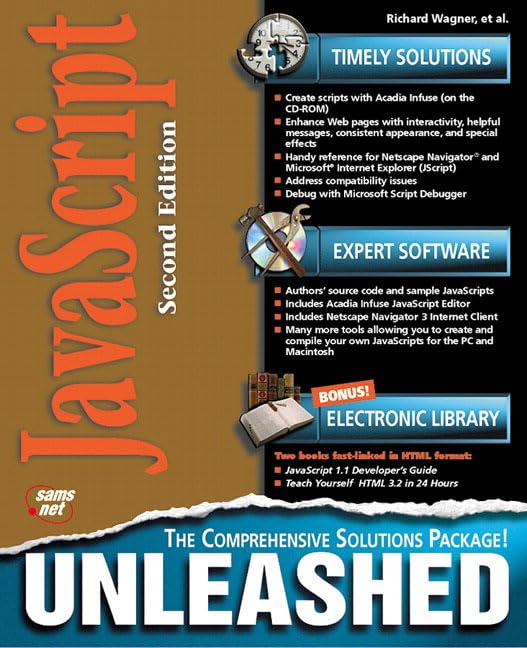
JavaScript : Unleased
Material type: TextPublication details: Indianapolis; Sams Net, 1997.Edition: 2nd EditionDescription: xxxii,1014pISBN:
- 9781575213064
- 005.262 WAG
| Item type | Current library | Collection | Shelving location | Call number | Status | Barcode | |
|---|---|---|---|---|---|---|---|
 Reference |
Unity College Library | Reference | Computer Science | 005.262 WAG (Browse shelf(Opens below)) | Not for loan | 11029 |
Contents
Introduction
xxix
Part I Getting Started with JavaScript
1 JavaScript and the World Wide Web 3
Introducing JavaScript
Ten JavaScript Facts Every Scripter Should Know.
JavaScript Is Embedded into HTML Sept
JavaScript Is Browser-Dependent....
JavaScript Is an Interpreted Language
JavaScript Is a Loosely Typed Language....
JavaScript Is an Object-Based Language.
JavaScript Is Event-Driven.
JavaScript Is Not Java.......
JavaScript Is Multifunctional
JavaScript Is Evolving
The JavaScript Language Spans Contexts.
The Four Phases of the World Wide Web.
Phase I: Character-Based Hypertext....
Phase II: Graphical-Based Static HTML Documents.
Phase III: Dynamic HTML Documents
Phase IV: Active HTML Documents
The Web Application Framework
Client Side,
Server Side
What Can You Do with JavaScript?
Client-Side Applications
"Smart Frame" Support
Data Validation
Creating Interactive Forms
Client-Side Lookup Tables
State Maintenance
Working with Java Applets, ActiveX Controls, and Plug-Ins
Browser Support for JavaScript.
Netscape Navigator
......
Microsoft Internet Explorer
Other Browsers
Summary
2 How JavaScript and HTML Work Together 31
Embedding JavaScript in Your HTML.........
174
Source.
Language ...........
Viewing JavaScript Code...
Executing Scripts......
Loading a Page User User Action ......
Accommodating Unsupported Browsers
Using Netscape HTML Enhancements.
An Overview of HTML 3.2 and Netscape Enhancements....
Frames
Netscape Enhancements ...
Tables.
textarea.............
Creating a JavaScript Script.
Writing the Script..........
Running the Script
Summary.......
3 Assembling Your JavaScript Toolkit 53
An Overview of Necessary Tools
Text Editors..............
JavaScript Editors........
Text-Based HTML Editors.
JavaScript-Specific Editors.......
HTML Editors............
Text-Based HTML Editors.
Visual HTML Editors............
Web Browsers.........
The JavaScript Development Process
Server-Side JavaScript Tools .........
Netscape Live Wire....
Borland IntraBuilder
Summary.....
4 Using Acadia Infuse to Create JavaScript Scripts 67
A Step-by-Step Guide to Infuse.
Creating a New file
Creating a Form
Adding Text and Select Elements
Responding to the User Event ......
Previewing the Script ......
Reusing Code with Frequent Scripts
Inserting a Frequent Script into Your Source File
Adding a Frequent Script....
.........
Deleting a Frequent Script
Customizing File Templates.
Using Advanced Editor Options
Finding a Matching Brace..
Setting a Bookmark
Jumping to a Line Number.
Summary.
Part II The JavaScript Language
5 Fundamentals of the JavaScript Language
89
How JavaScript Relates to CGI and Netscape Plug-Ins
CGI Programming
Netscape Plug-Ins
JavaScript
Embedding a Script in an HTML Document
Events
Basic Syntax Issues
Versions of JavaScript
Tokens
Identifiers
Keywords
Reserved Words
Literals
Variables
Constants
User-Defined Constants
Colors
Data Types.
Expressions.
Comments
Operators
Functions
Summary.
6 Operators 117
Assignment Operators
Arithmetic Operators
Comparison Operators
Comparison Operators in JavaScript 1.2.
String Operators.............
Conditional Operators
..............
Boolean Operators .......
The typeof Operator
Function Operators ...........
Data Structure Operators
Bitwise Operators.......
Bitwise Logical Operators.
Bitwise Shift Operators...........
Why Mess with Bits? .......
Operator Precedence
Summary ...........
139
7 Control Structures and Looping
Conditional Statements.....
If...Else
Looping Statements....
for
while
for...in
do...while......
break and continue
labeled.......
with.......
switch...
Summary.........
8 Functions 159
Understanding Functions.
Creating Functions......
Where to Declare Functions.
Inside the <HEAD> Section .....
Calling Functions.
Working with Arguments.............
Varying the Number of Arguments.
Using Global and Local Variables.
Reusing Functions....
Passing Objects by Reference........
Recursive Functions
Summary..
Part III
JavaScript Objects
9
The JavaScript Object Model
179
Talking the "Object Talk"
Objects
Encapsulation
Messages
Classes
Is JavaScript an Object-Oriented Language?.
Objects and Dot Notation
Properties
Methods
Events
Exploring the JavaScript Object Model
Containership in JavaScript
An Overview of JavaScript Objects.
Navigator Objects.
Built-In Language Objects
Summary.
10 Handling Events 217
Understanding Events and Event Handlers
JavaScript Event Handlers
Clicking an Object (onClick)
Submitting a Form (onSubmit)
Resetting a Form (onReset)
Modifying Data (onChange).
Receiving Focus (onFocus)
Losing Focus (onBlur)
Selecting Text (onSelect)
Moving the Mouse Over Objects
(onMouseOver and onMouseOut) Loading a Document (onLoad)
Exiting a Document (onUnload)
Handling Errors (onError)
Aborting an Image Load (onAbort)
Changing Event Handlers
Triggering Events in Code
Timer Events
Summary.
11 Navigator Objects 243
The Window Object........
Opening and Closing Windows.
Navigating Between Windows.
Displaying Message Boxes......
Working with Status Bar Messages
The Frame Object.............
Creating Frames....
Adding JavaScript Code to Frames Synchronizing Frames........
Updating Frames Scripting Image Map Frames
Working with Frame URLs......
Referencing Windows and Frames
The Current Window....
Parent to Child............
Child to Parent....
Child to Child
The Top Window
The Location Object ........
Opening a New URL ...........
Working with the protocol Property
The History Object............
Determining the Size of the List
Navigating the History List .........
The Navigator Object .......
Summary.......
12 Document Objects 311
The Document Object ......
Creating HTML Documents Programmatically
Clearing a Window's Contents
Changing Document Attribute Colors.
The Link Object.....
Referencing Link Objects
Executing JavaScript Code Using Links
The Anchor Object.
The Image Object.
Instantiating an Image Object
Summary
13
Form Objects
337
The Form Object
Submitting Forms to the Server
Checking Elements on a Form...........
The Text Object
Assigning a Default Value to a Text Object
Selecting Text Upon Focus.
The Textarea Object.
Wrapping Text in a Textarea Object
The Button Objects: Submit, Reset, and Button
The Checkbox Object
Determining Whether a Checkbox Object Is Checked
The Radio Object
Determining the Value of the Selected Radio Button
The Select Object....
Creating a Selection List
Creating a Scrolling List
Creating a Multiselection List.
Determining the Value or Text of the Selected Option
Determining the Values of Multiselection Lists
Selecting an Option Using JavaScript
The Password Object
The Hidden Object.
Summary.
14 Built-In Language Objects
The String Object
369
Creating a String Object.
Working with Strings
Formatting Strings
Working with Special Characters
Converting Strings to Numbers
Converting Numbers to Strings
The Array Object
Creating an Array Object
.....
Working with Multidimensional Arrays
The Date Object
Creating a Date Object
Working with Date Values
Working with Time Zones
Calculating with Dates
The Math Object...........
The Boolean Object (JavaScript 1.1 and Higher)
The Number Object (JavaScript 1.1 and Higher).
Summary.........
The Function Object (JavaScript 1.1 and Higher).
Creating an Object.
15 Creating Custom JavaScript Objects 403
Instantiating Objects.....
Working with Object Instances.
Creating Complex Objects...... Dynamic Creation of Objects.......
Extending Instantiated Objects.
Indexing Object Properties....... Ind
Summary......
Part IV Visual Programming Techniques
Scrolling Marquees....
425
16 Creating Special Effects with JavaScript
Billboards......
Color Fading...........
Animated Pushbuttons.
Summary.....
17 Controlling Layers with JavaScript
445
Managing Overlying Layers.
Accessing Layers Using JavaScript
Defining the <LAYER> Elements
Displaying the Selected Tab........
Viewing the Results
Creating Animation Effects ........
Defining the <LAYER> Elements
Specifying Global Variables
Accessing Layer Objects.......
Defining the Animator Functions.
Summary.......
Viewing the Animated Layer Script
18 JavaScript Style Sheets 461
Basic JavaScript Style Sheet Concepts........
Defining Styles Within Documents ...
Linking External Style Sheets.
Using Styles in Your Document
Selectors
STYLE Element Selector
Style Sheet Classes
Using IDs
Mixing Selectors
Contextual Selectors
Defining with JavaScript Functions.
Inheritance
JavaScript Style Sheet Properties.
Margins and Padding.
Comments
HTML and JavaScript Additions and Changes
HTML Elements
HTML Attributes
JavaScript Objects
Style Precedence Order for Classes, Tags, and IDs
Summary.
Part V Programming Techniques
19 Site Navigation with JavaScript 485
Navigation Techniques
Scripting a Dynamic Toolbar
Writing a Custom Toolbar Object
Extra Features
Scripting a Dynamic Table of Contents
Why Not Just Use Links?
Some Application Examples.
The Files for the Project
Skipping Dessert..
Summary.
20 Forms and Data Validation
507
User Feedback
Displaying Message Boxes
Status Messages.
Validating User Input
Validating Free Form Input
Ensuring Consistency
Handling Policy.
Ensuring Completeness
Calculated Fields
Frequently Used Validation Code.
Integer ......
String...........
Dollar .........
Credit Cards........
Advanced Validation with Pictures
Example: The JavaScript Color Checker
Summary ...........
21 Using Client-Side Tables in JavaScript 547
Data Source: Client or Server?
What Is a Client-Side Table?
Creating a Lookup Table.......
Creating the Search User Interface
Processing the Search Request.
Displaying the Search Results......
Running the Application.....
Summary .......
22 Error Handling and Debugging in JavaScript 565
Types of Errors...
Syntax Errors.......
Runtime Errors...................
Logical Errors
Error Messages ....
Fixing Your Code...
Check the HTML
Use Comments to Identify Problems
Use the alert() Method to Trace Your Code's Progress
Testing Your Code ............
Solid Programming Techniques........
Building Code from a High-Level and Detailed Design..
Writing Modular Code.........
Writing Strongly Cohesive Code
Writing Loosely Coupled Code
Writing Reusable Code.....
Writing Error-Handling Code...........
Using Strong Naming Conventions.
Using Comments...
Declaring and Initializing Variables
Bulletproofing Your Code .......
JavaScript Oddities, Known Bugs, and Helpful Tricks
Differences Between JavaScript and JScript
Using Microsoft Script Debugger.
An Overview of Microsoft Script Debugger Features
Using Microsoft Script Debugger to Debug a File
A Final Word on Microsoft Script Debugger...
Summary...
Part VI Advanced JavaScript
23 JavaScript Compatibility Issues
595
Comparing JavaScript Dialects.
Common Problem Areas
Images
Arrays
Windows
External.JS Library Files
Programmable Select Objects
Techniques for Developing "Safe" Scripts
The "All or Nothing" Approach
The "In-Place Detection" Approach
Summary.
24 JavaScript and Web Security 609
Security Concerns with Client-Side JavaScript
Denial of Service Attacks
Netscape Navigator 2.0 Issues.
Later Navigator Versions
Internet Explorer 3.x
Maximizing Security Protection
Secure Sessions and Digital Signatures
Disabling Scripting Languages in the Browser
Firewall Filtering
Security Information Resources on JavaScript and Java Security.
Security Concerns for Server-Side JavaScript
Java and Security
Security Components
Security Restrictions
Summary.
25 Cookies and State Maintenance 633
Maintaining State.
Cookies: An Introduction.
Advantages of Cookies
Limitations of Cookies.
Disadvantages of Cookies
Cookie Myths
Using Cookies.....
Retrieving Cookie Values..
A Cookie Example
Setting Cookie Values.....
Where Are Cookies Going?............
Which Servers and Browsers
Support Cookies?
Other State Maintenance Options.........
Query String.................
Hidden Form Variables
Summary..
Part VII JavaScript Connectivity
LiveConnect: Integrating JavaScript and Java 659
26
Running Java Applets......
Referencing Applets.
Controlling Applets
JavaScript Objects in Java
Working with JSObjects
Setting Java Properties Serti
Java Objects in JavaScript
Using Java Packages .........
Using a Java Dialog Box.
Opening the Dialog Window..........
Using DialogServer as a Logon Prompt
210
Moving the Dialog Window.......
Determining if the Applet Is Ready for Use
006
Adding the DialogServer Applet to a Web Page..........
javascript: URLs
Integrating Java Applets with ActiveX Controls.
Summary.........
27 ActiveX Scripting
683
Understanding ActiveX Controls
ActiveX and Security ........
Embedding ActiveX Controls into HTML Pages Integrating ActiveX Controls with JScript........
Adding JScript Code with the Script Wizard .......
Adding 2D Style Layout to Your Pages ........
Adding JScript Code Using Your Normal Editor
............
Summary........
28 Working with Netscape Plug-Ins 705
Understanding Plug-In Technology.......
Plug-Ins Versus Helper Applications
Plug-Ins and MIME Types
Available Plug-Ins
Types of Plug-Ins.
Plug-Ins with Netscape Navigator 3.0.
Plug-Ins with Netscape Communicator (Navigator 4.0)
Downloading a Plug-In
When to Avoid Plug-Ins
Determining Installed Plug-Ins with JavaScript
Running Plug-Ins with JavaScript
The <EMBED> Tag.
The <OBJECT> Tag
Summary.
29 Live Audio and Multimedia 731
Using LiveAudio
An Example of Using LiveAudio
LiveAudio and LiveConnect
JavaScript Methods to Control LiveAudio
Using Sound in JavaScript
Playing Sounds on JavaScript Events
Configuring a Sound Player
Controlling Multimedia with JavaScript and LiveConnect
JavaScript-to-Java Communication. Java-to-JavaScript Communication
Summary.....
Part VIII Server-Side JavaScript
30 Server-Side JavaScript Extensions Using LiveWire 747
Developing a Live Wire Application.
Creating Source Files for the Server Application
Compiling LiveWire Applications
Installing Live Wire Applications on the Server
Debugging Server-Side JavaScript Applications
Generating Dynamic HTML
Working with Live Wire Objects
Live Wire Object Properties
The Request Object....
The Client Object
The Project Object
The Server Object.
Redirecting Clients to an Alternative URL Accessing Files on the Server
Using the SendMail Object in Enterprise Server 3,0
Summary.
775
31 Partitioning Client and Server Applications
Fundamentals of Client/Server Architecture.......
Client and Server Communication...
State Maintenance.
Sending Information from Client to Server Sending Information from Server to Client .......
Summary.........
32 Database Connectivity Using LiveWire 791
Live Wire Database Connectivity.......... The Live Wire 1.x Database Object...........
Connecting to a Database .......
Working with SQL SELECT Queries
Using the SQL Table() Method..........
Working with Cursor Objects......
Working with Updateable Cursors.....
Sending Passthrough SQL Statements.......
Performing Transactions....
Working with Binary Data....
Displaying Images ........
Creating Links to Binary Data........
Inserting Binary Data into a Database
Handling Database Errors....
Putting It All Together..........
Initializing the Application.......
Enrolling as a Student..........
Registering for Classes
Getting a Schedule of Classes..........
Summary ........
Part IX
Appendixes
A JavaScript Language Summary
825
Dynamic Documents with JavaScript. JavaScript Objects and Their Properties
The Anchor Object
The Applet Object (v1.1)
The Area Object (v1.1)
The Array Object (v1.1).
The Boolean Object (v1.1)
The Button Object
The Checkbox Object
The event Object (v1.2)
The Date Object.
The document Object
The FileUpload Object (v1.1)
The form Object.
The frame Object
The Function Object (v1.1)
The Hidden Object
The history Object
The Image Object (v1.1).
The layer Object (v1.2)
The Link Object.
The location Object
The Math Object......
The MimeType Object (v1.1)
The navigator Object.....
The Number Object (v1.1)
The Option Object (v1.1)
The Password Object
The Plugin Object (v1.1)
The Radio Object
The Reset Object
The Select Object
The String Object
The Submit Object
The Text Object.
The Textarea Object
The window Object
Independent Functions, Operators, Variables, and Literals
Independent Functions.
Operators
B Fundamentals of HTML 867
HTML Basics.......
Basic HTML Document Structure.
Attribute Generalizations...
HTML Tags..........
C Comparing JavaScript with VBScript 913
What Is VBScript?
Comparing and Contrasting JavaScript and VBScript Both Are Embedded HTML Languages
Both Have Similar Object Models.......
JavaScript Has Wider Industry Support.....
VBScript Has More Complex Data Types
VBScript and JavaScript Offer Varied Strengths.
Programming in VBScript........
VBScript Has Different Procedure Types..........
Summary ..........
D
JavaScript Resources on the Internet 925
The World Wide Web
Netscape.
Microsoft...............
ECMA Scripting Language Specification
Acadia Infuse Home Page.........
JavaScript Tip of the Week.
Ask the JavaScript Pro .......
The JavaScript Planet
Gamelan.........
hIdaho Design..
Live Software's JavaScript Resource Center.
Danny Goodman's JavaScript Pages Gordon McComb's JavaScript Pages
JavaScript Voodoo Page..........
JavaScript FAQ.....
Yahoo!'s JavaScript Page ...
Netscape World.
Web Informant.........
Java World...................
Borland International ............
Macmillan Computer Publishing Home Page.
Sun Microsystems
Usenet Newsgroups........
comp.lang.javascript
news.livesoftware.com/livesoftware.javascript.
developer...
news.livesoftware.com/livesoftware.javascript.
examples
comp.lang.java
CompuServe .....
Listserv Mailing Lists.
javascript-list@inquiry.com
java@borland.com.......
Miscellaneous JavaScript-Related Articles on the Web....
E Java from a JavaScripter's Perspective 933
Comparing JavaScript with Java
The Java Language
Keywords
Types.
Arrays
Literals
Operators
Flow Control Statements
Object Scope
Exceptions
Java Objects
Class
Casting Class Objects
Abstract Methods
Interfaces
Packages
Built-In JavaScript Objects
Java Development Tools
Libraries....
Compilers
IDES
GUI Visual Tools
Code Generators.
A Window into the Java Library: The Java Console.
Summary.
There are no comments on this title.